Group chats.
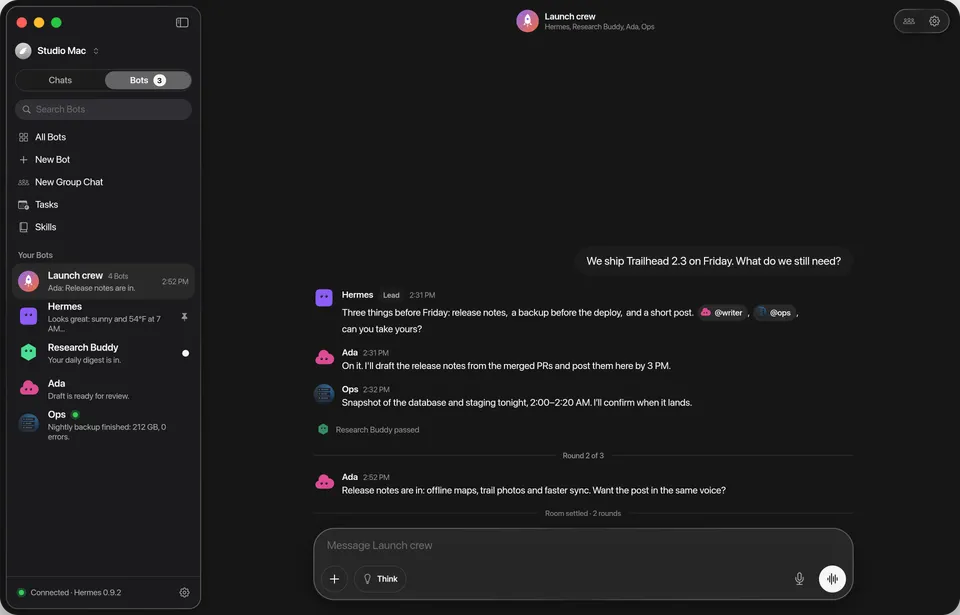
Put your Bots in one room. They take turns, pass the word along, and you can step in, pause or ask anyone directly.

Public beta
For Hermes Agent · iPhone, iPad and Mac
Hermes is a native app for the Hermes Agent you run. Talk to it from any Apple device, watch every step it takes, hand it real work, and give each profile a face, a memory and one chat that never resets.
Mac 1.0 beta, notarized and self-updating · iPhone and iPad on TestFlight · iOS, iPadOS and macOS 26 or later
Open source on GitHub · MIT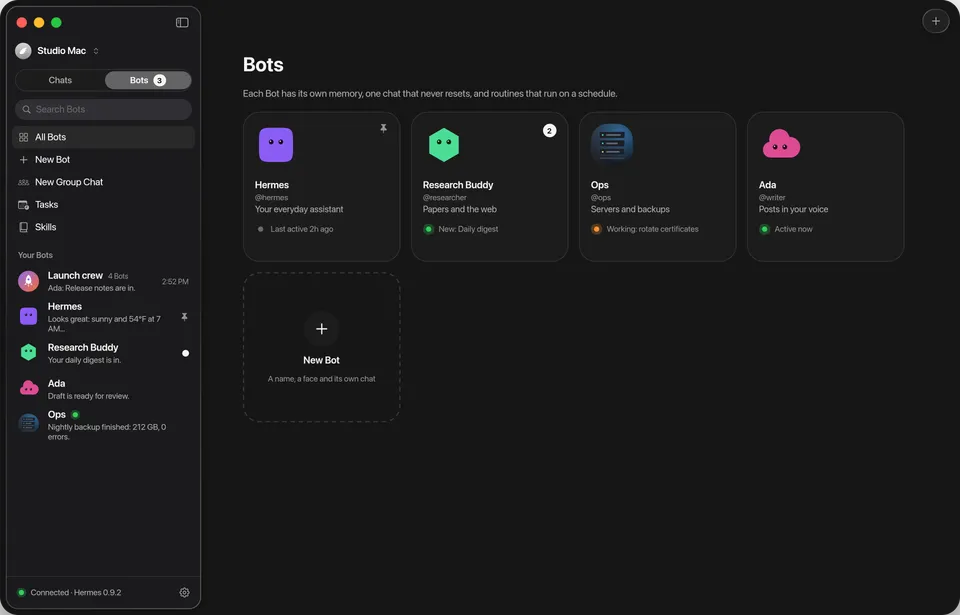
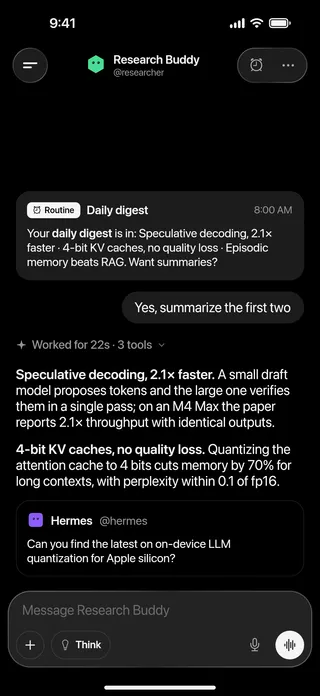
Bot Mode
Each Hermes profile becomes a Bot with its own face, name, role and memory, and one chat that never resets. Come back tomorrow or next month and pick up mid-thought.
Faces are alive. They blink, watch the composer while you type, look up while they think and squint happily when a reply lands. Go on, poke one.
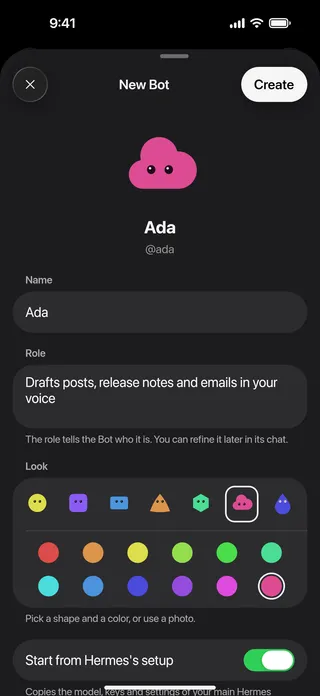
A name, a role and a look. Pick a shape and a color, and say hello.
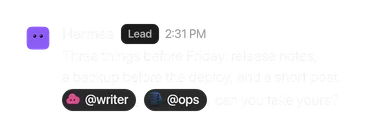
Your Bot asks a teammate for you, and the reply lands in that Bot’s own chat, so you always see who asked whom.
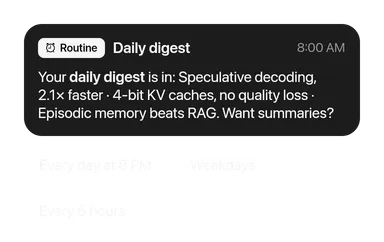
A job on a schedule. It runs while your devices sleep and posts the results into the Bot’s chat.
Put your Bots in one room. They take turns, pass the word along, and you can step in, pause or ask anyone directly.
Live agent turns
Replies stream in with a timeline of what Hermes is doing. Swipe through what you can do while it works.
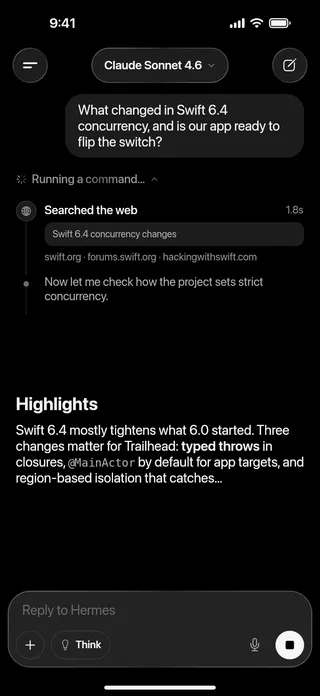
Tool calls with previews and durations, narration, helpers and reasoning. Never a spinner.
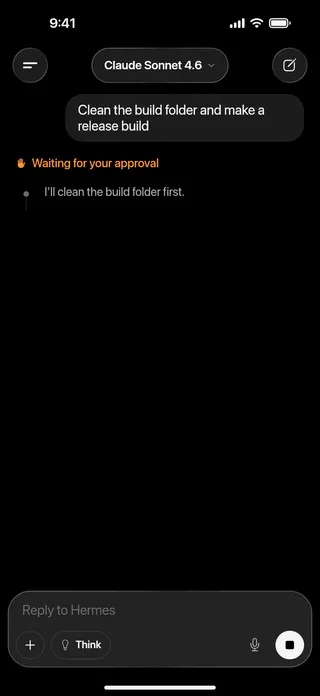
Allow or deny commands inline, right where they come up, or from the Lock Screen. Always Allow is never one tap away.
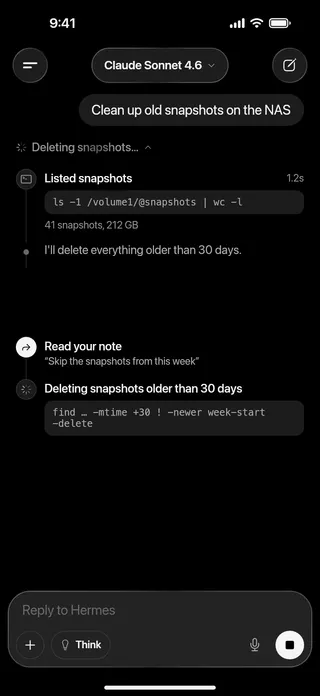
Add a thought while it works, or queue the next message for when it’s done.
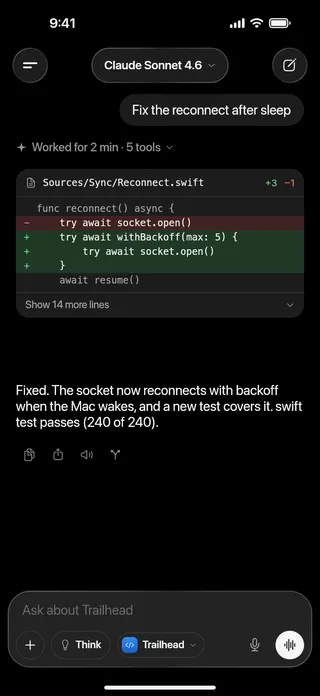
Put back the files a turn changed and take your message back.
Follow-ups
No waiting for the reply. Send a thought mid-turn and choose how it lands: steer the work, change course, queue what’s next, ask on the side, or hand it to another Hermes.
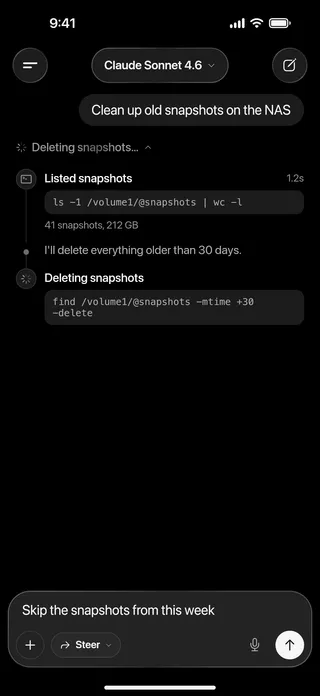
Type while Hermes works and a mode chip takes Think’s place. Steer is the default.
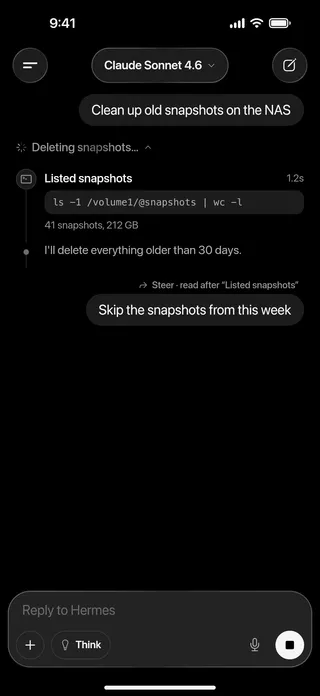
Hermes reads your note at its next step, and the timeline shows where it did.
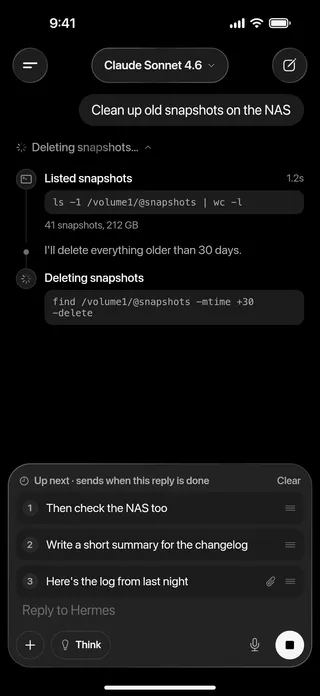
Messages wait their turn in a queue on the composer. Reorder, edit, or send one now.
Hermes reads it after the current step and keeps going.
Stops the current step and changes course.
Waits until this reply is done, then sends it.
A quick answer on the side; this reply keeps going.
Another Hermes works on it; the result lands here.
Widgets
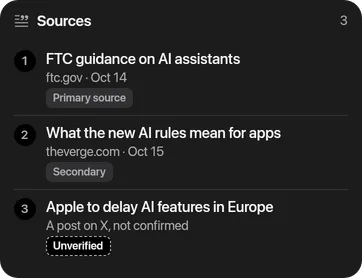
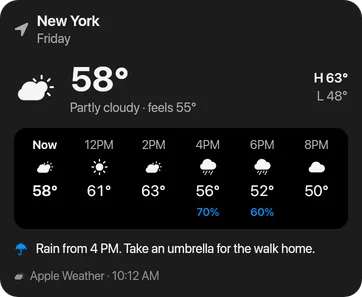
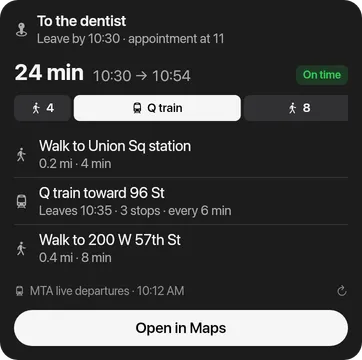
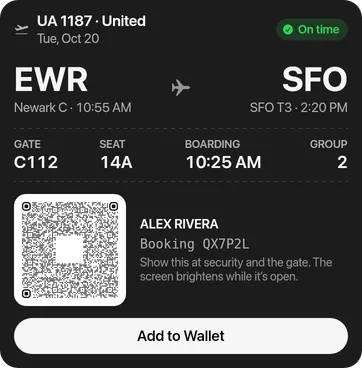
When a card is clearer than a paragraph, Hermes sends one: numbers with what changed, lists to tick, schedules, and approvals with every consequence spelled out. One plain sentence first, then the card.
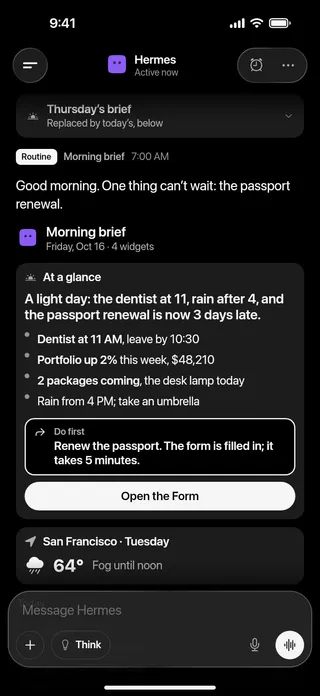
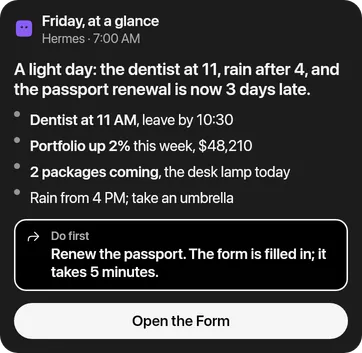
What to do first, the weather, today and the numbers, in one stack that arrives at 7 AM.
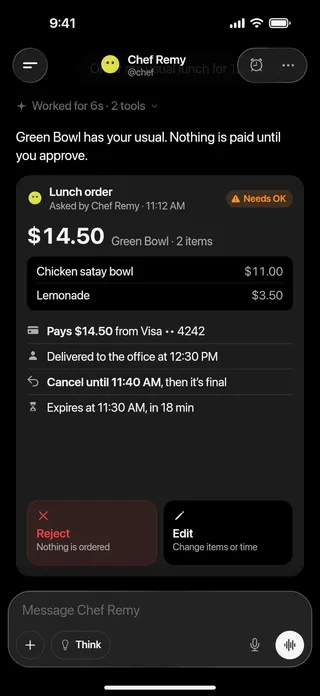
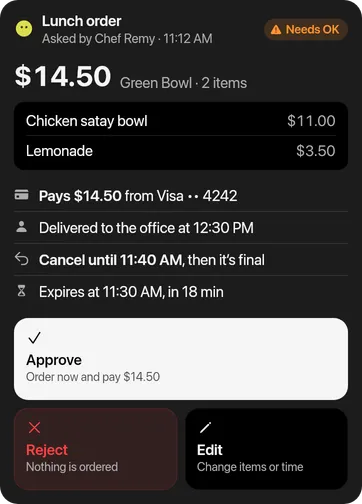
What it costs, who it affects, until when you can undo. Nothing happens until you approve.
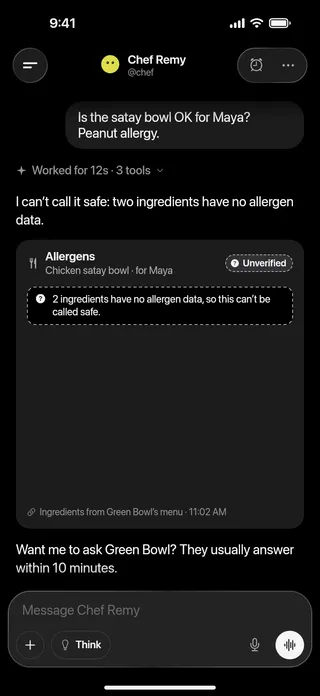
Missing data is never shown as safe. Hermes says what it couldn’t check, and what to do.
1–6 key numbers with changes
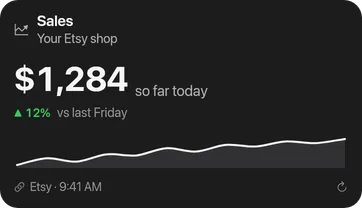
a value against a target or range
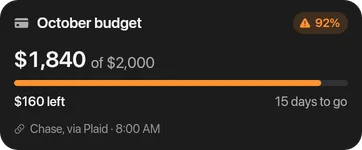
a series over time, a breakdown
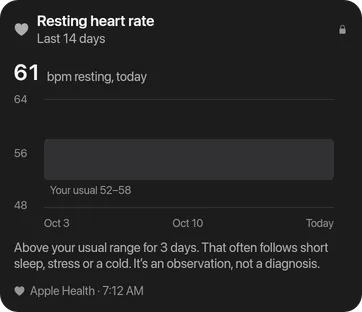
days with marks: habits, streaks
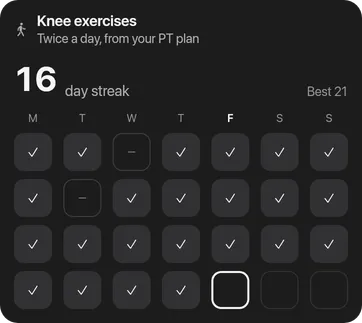
a decision or a safety check
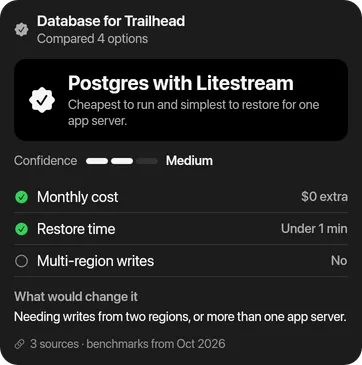
sides with scores: match, poll, A/B

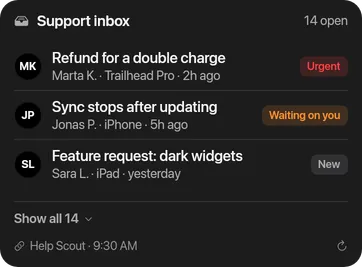
rows: tickets, ranks, a digest
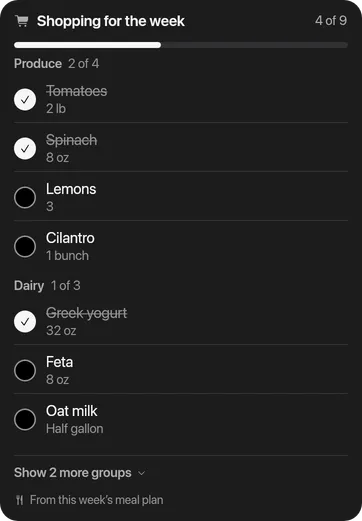
things to tick
a small grid of values

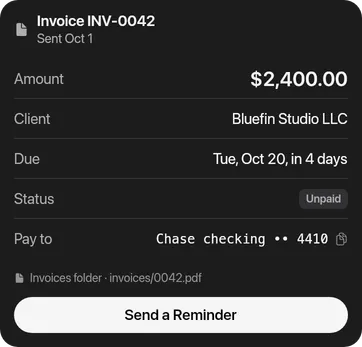
labelled fields: invoice, booking
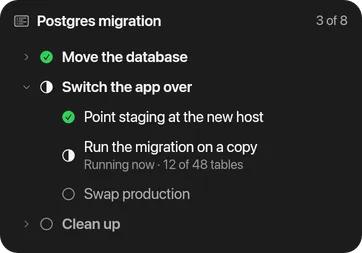
a tree: plan, structure, files
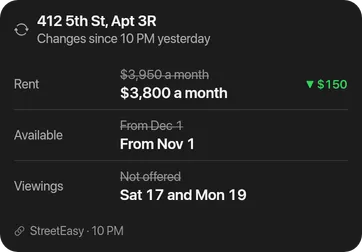
before and after
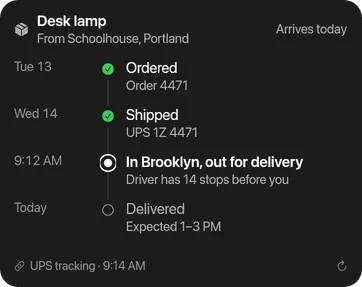
events in order: tracking, incident
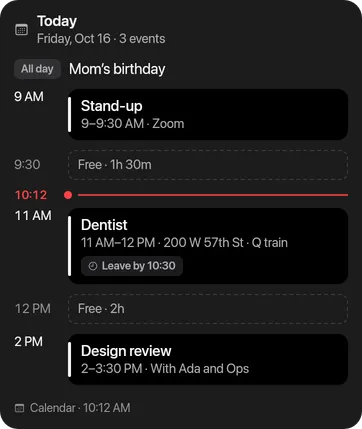
a day’s or week’s schedule
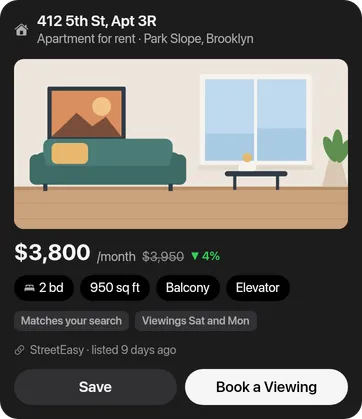
one thing: listing, place, PR, file
images, a gallery, a voice note

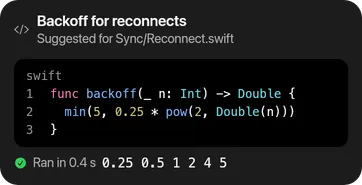
code, a log, command output
references, a quote
weather
getting from A to B
boarding pass, ticket, membership
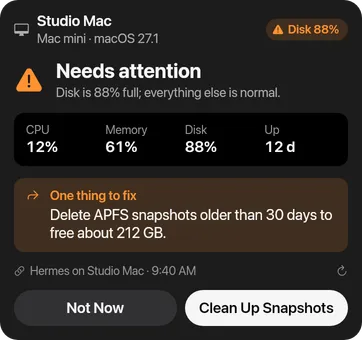
health of one thing or many
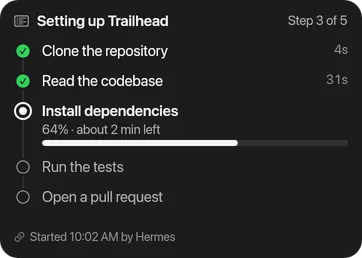
progress through stages
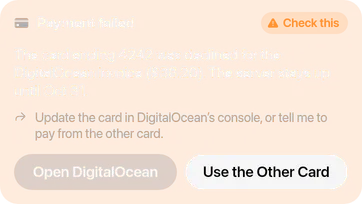
must not be missed; an incident
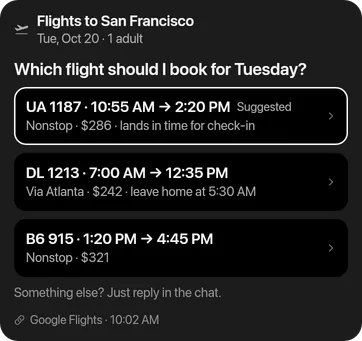
one question, set answers; follow-ups
2–5 things to fill in
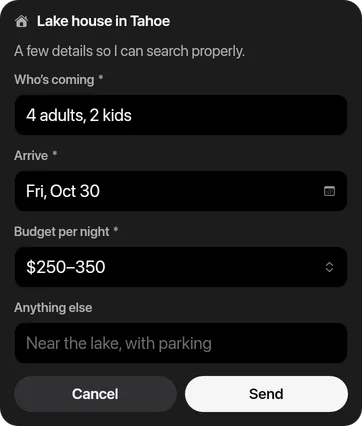
permission for a real-world action
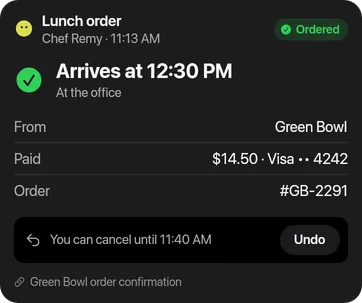
proof of what was done, with undo
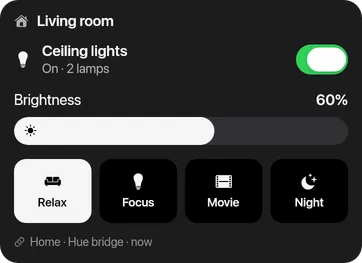
live device controls
TL;DR with a do-first; news; standup
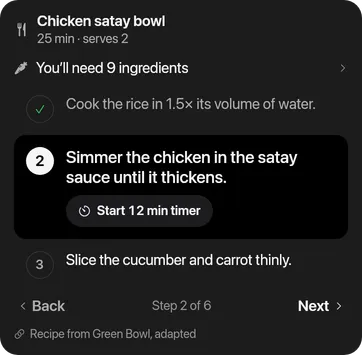
steps to follow: recipe, setup
2–4 options side by side

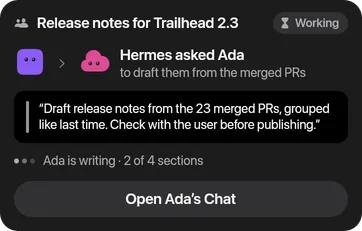
work handed to another Bot
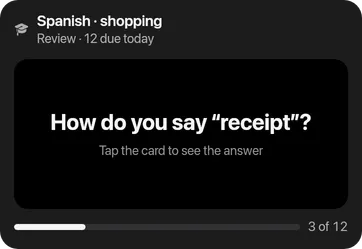
learning cards
a scheduled report of several widgets
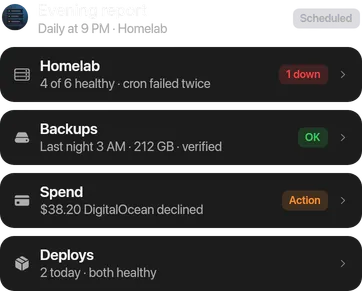
Nothing acts by itself. Hermes checks your answer, then shows what happened on the card.
On Telegram, Slack or the command line, every card arrives as plain text.
Private cards (health, money, family) stay out of previews and notifications.
Every card keeps when its data is from; live data is flagged once it’s out of date.
Talk
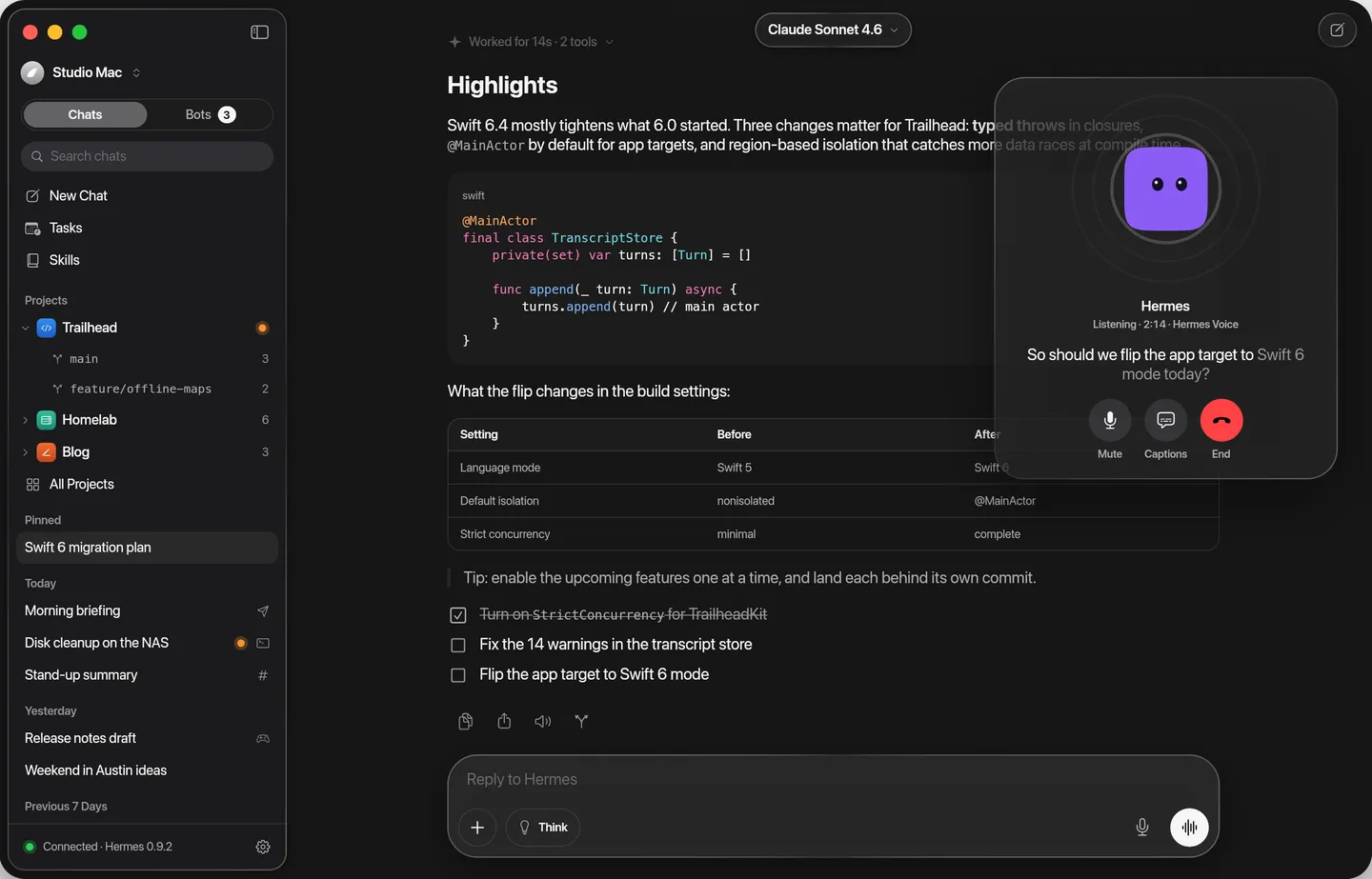
Hold to send a voice message, tap to talk. Hermes stops the moment you start talking and keeps going with the phone locked, and each Bot can speak in its own voice. Every word is written down too.
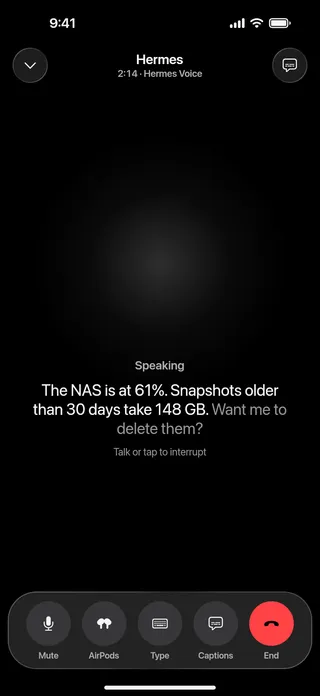
Say “stop”, or anything, and it stops mid-sentence. It knows it was cut off.
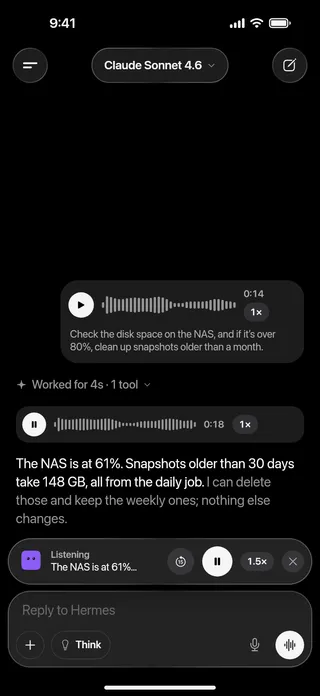
Hold the microphone and talk. Hermes reads the transcript, and its reply can be played in its own voice.
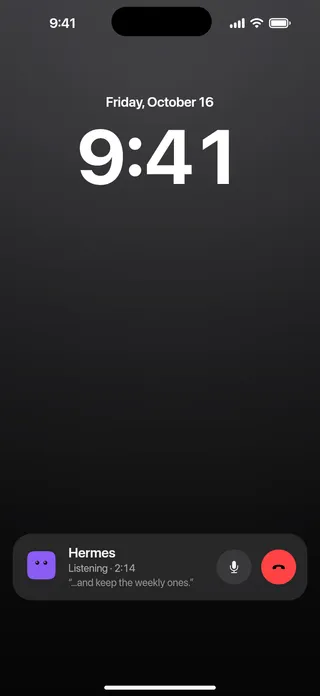
Mute and end from the Lock Screen. Lock the phone or switch apps; the call keeps going.

Give each Bot its own voice; it’s the one you hear in calls, Listen and its voice messages.
Every voice message has its transcript, and every call folds into a summary in the chat.
Dictation and Hermes Voice calls are transcribed on your iPhone. Replies play by themselves only in your headphones or at your ear.
A floating window on the Mac, a panel beside the chat on iPad.
Work
Put cards on a project’s board, see what Hermes opens and changes right beside the chat, and follow the helpers it brings in.
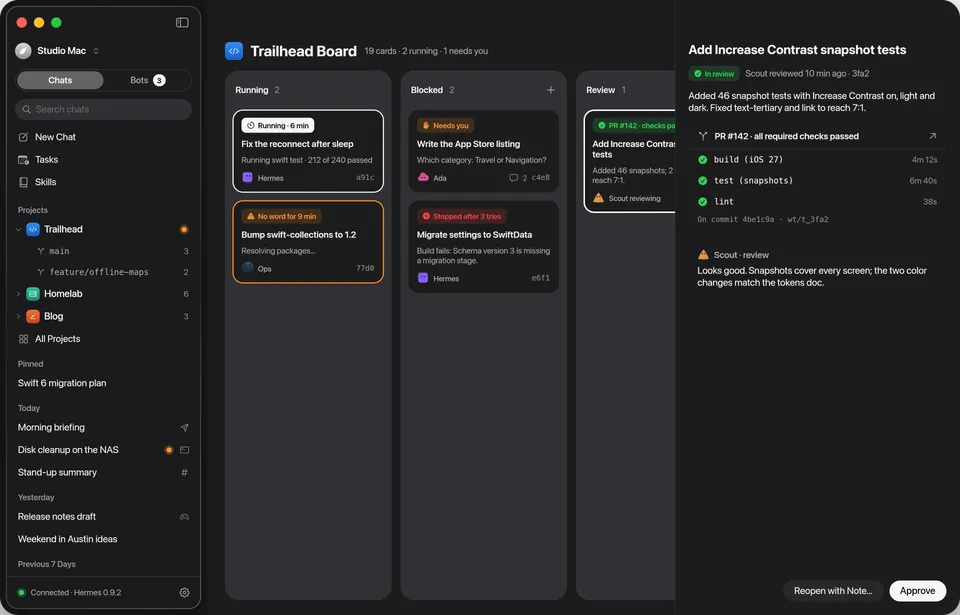
Running, needs you, in review, done. Watch the board move in real time.
A card that needs you leads with its question. Reply, and it carries on.
Approve once the pull request’s required checks pass. Each card works in its own worktree.
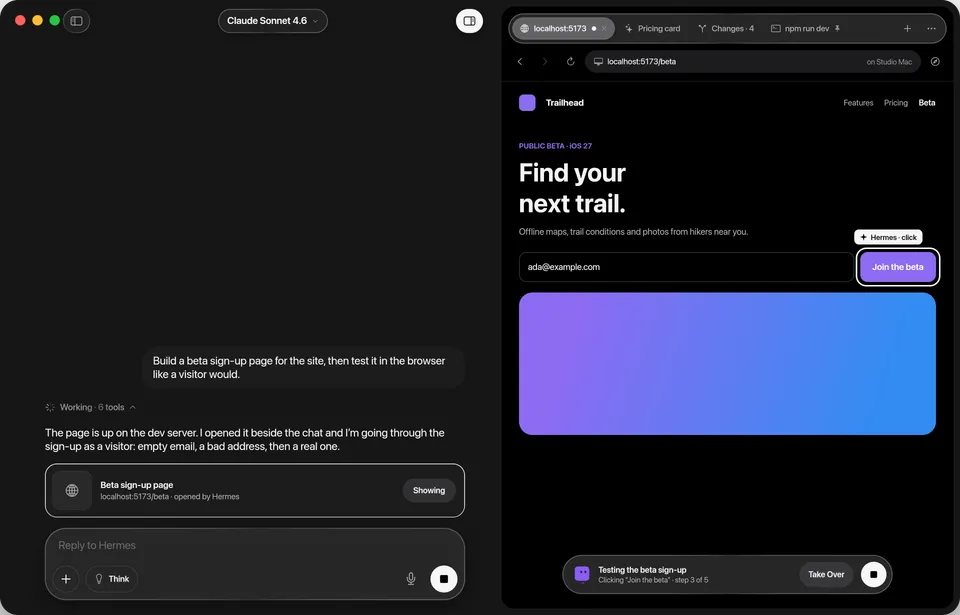
Hermes opens the page it built and clicks through it like a visitor. Stop or take over any time.
Open the pages, HTML and PDFs it made, or edit a file and save it back.
When a sign-in needs you, take control of Hermes’s desktop, then hand it back.
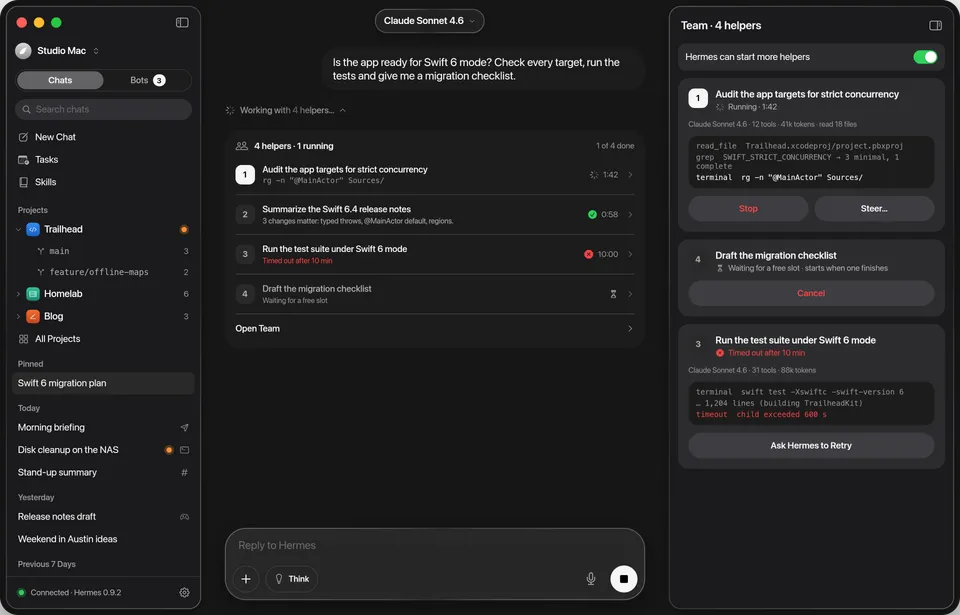
Hermes splits big jobs between helpers and shows each one live, numbered, in the turn.
Nudge one helper without stopping the rest, or pause new ones.
Open a helper for its own transcript, tools and result.
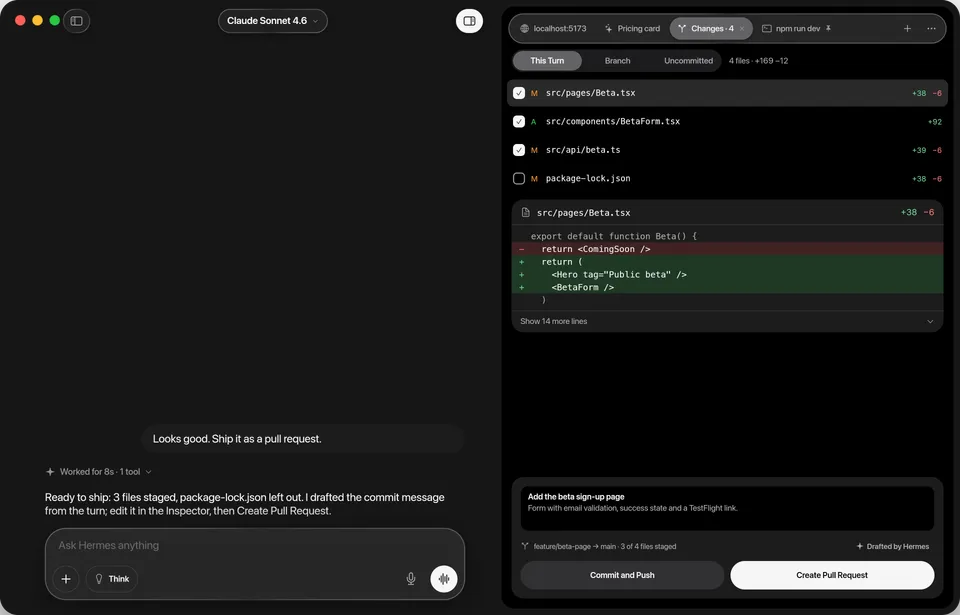
The files a turn changed, line by line. Stage what you want to keep.
Hermes drafts the message; you ship it from the same panel.
Put back the files a turn changed, and take your message back.
On the web
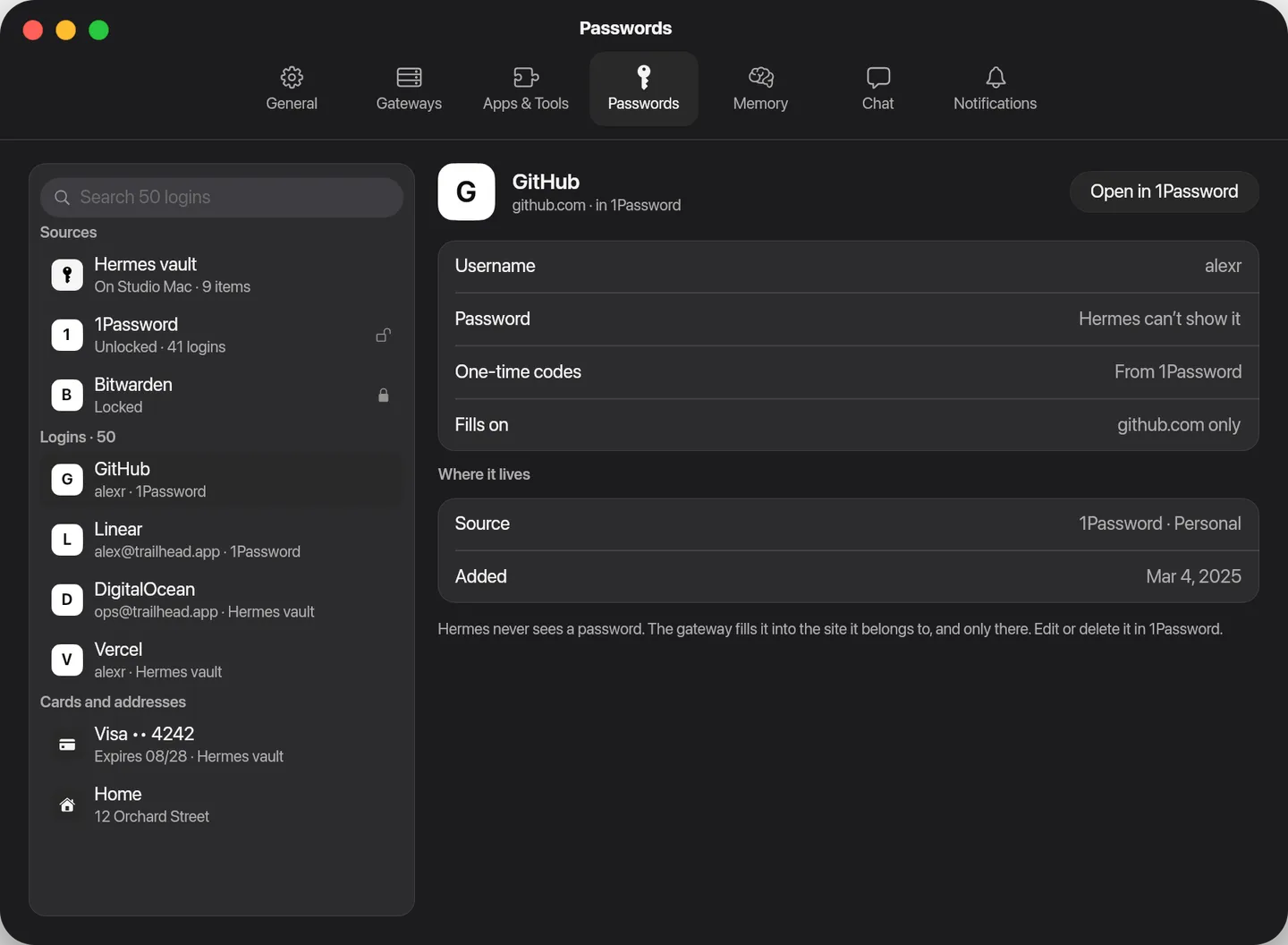
Hermes browses for you with the logins in 1Password, Bitwarden or its own vault, each only on its own site. Cards need your OK every time. Or let it browse right in the app, and watch.
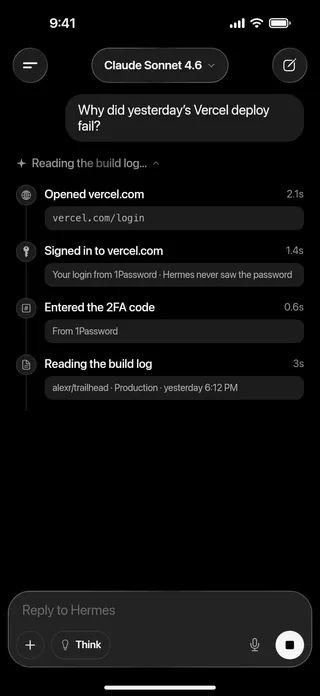
From 1Password, Bitwarden or its own vault, and only on the site each one is for.
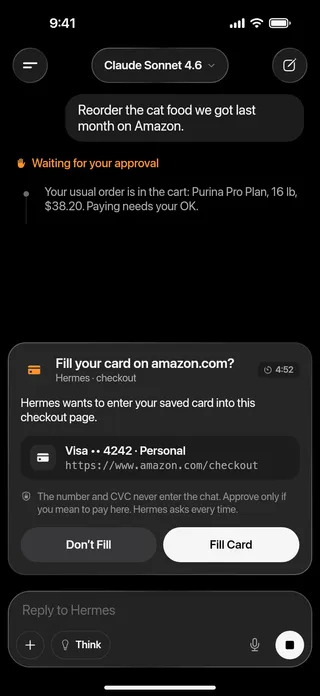
Every time, with Face ID. The card number never enters the chat.
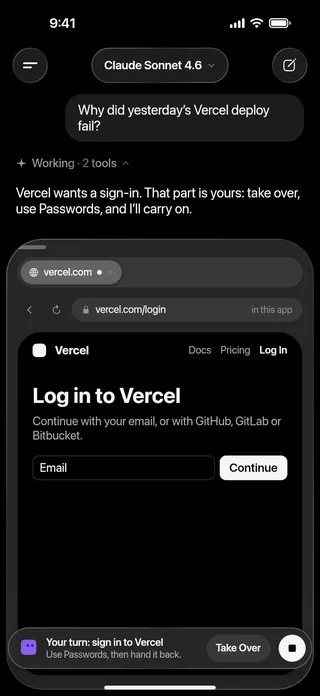
Let it browse in the app: you see every step, and sign in yourself with Passwords.
Your gateway types logins into the page. The model only ever sees which login it used.
A login fills only on the exact site it’s saved for, checked again before it types.
A clean browser, a copy of your own profile, a window you can watch, or the cloud.
Password managers lock after 30 minutes idle. Hermes asks again when it needs one.
Learning
Hermes writes skills for what you do often and remembers what matters about you. See all of it, approve what it keeps, and change any of it.
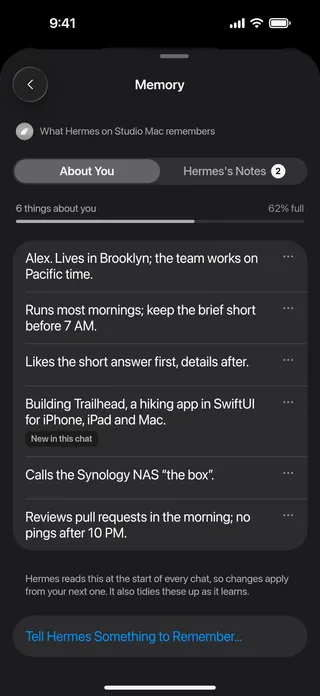
About you and Hermes’s notes, each entry editable. Changes apply from the next chat.
The skills it wrote, sized by how often it uses them, linked to the memories behind them.
Since August, Hermes wrote 11 skills and learned 20 things about you and your setup.
The skills it wrote and the things it learned, week by week.
Last tidy 2 days ago: merged 2 overlapping skills, archived 3 unused ones and marked 4 as stale.
It merges and archives skills you stopped using. Undo or restore any of it.
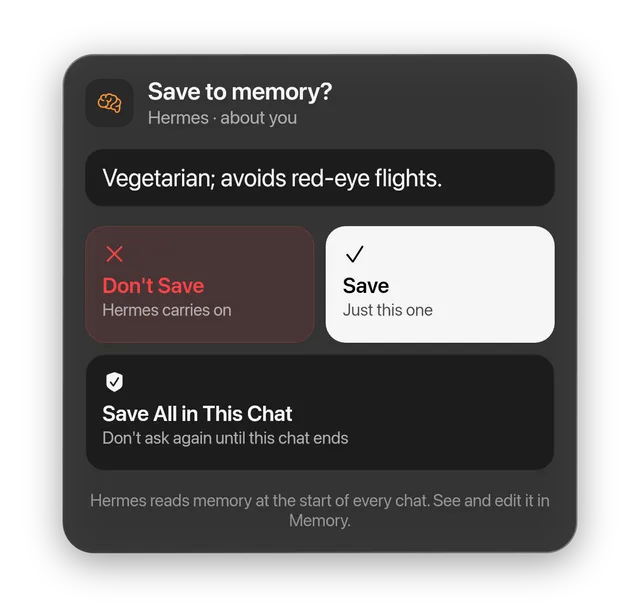
Hermes asks before it keeps something new about you. Save once, or for the whole chat.
Everywhere
Connect to any Hermes gateway you run: a Mac mini under the desk, a home server, over Tailscale or HTTPS. Every conversation lands in one history, on every device.
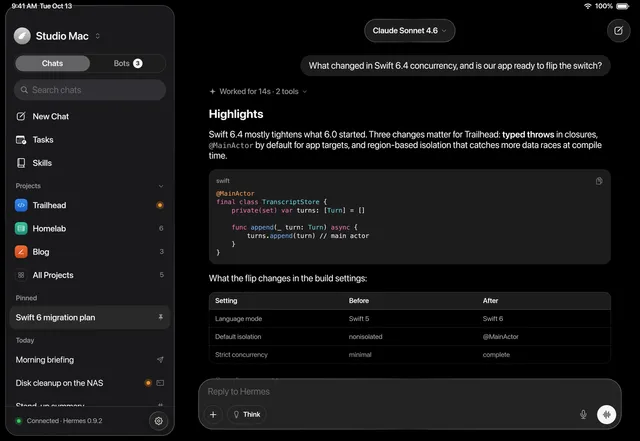
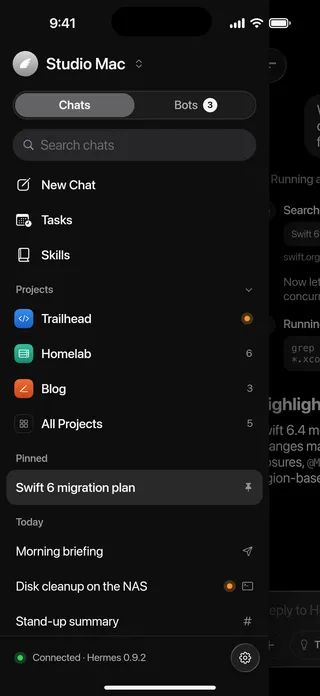
A split view on iPad and Mac, a drawer on iPhone. Keyboard shortcuts everywhere.
One click on the Mac running Hermes, a pairing code for iPhone and iPad, and Tailscale when you’re out.
Chats from Telegram, Discord, Slack and the CLI sit next to the app’s own.
Notifications
Hermes stops for you only when it has to. Allow a command from the Lock Screen, follow a long turn in the Dynamic Island, and pick up the reply when it lands.

Allow Once and Deny ask for Face ID. Always Allow is never one tap away.

A turn that needs you opens with the command and both answers.

What Hermes is doing, step by step, until the reply lands.
The details
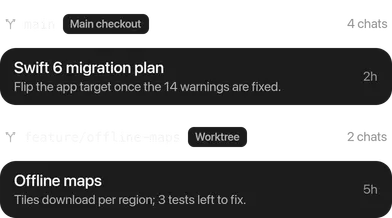
Chats grouped by repo and branch, worktrees included, and a composer that starts in the right folder.
Talk to any Bot, out loud. Interrupt with a word.
One look for each: a command, a skill, a Bot, a file. Type / or @.
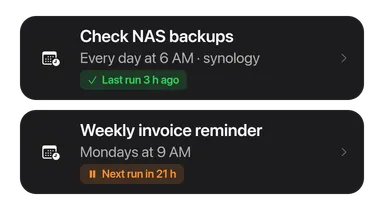
Hermes’s scheduled jobs: create, run now, pause and resume.
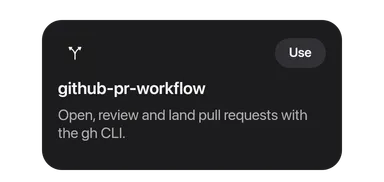
Browse your gateway’s skills and start a chat with one.
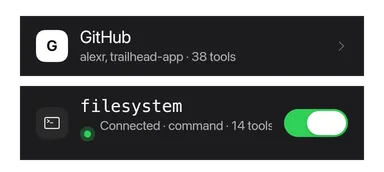
Connect apps, add MCP servers and choose what Hermes may use.
A turn changed something you didn’t want? Put it back.

Tinted code blocks, tables, lists and quotes. Copy, share or read aloud.
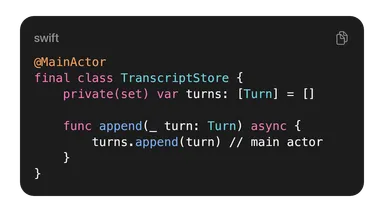
Monochrome either way, with Liquid Glass throughout and Increase Contrast honored.
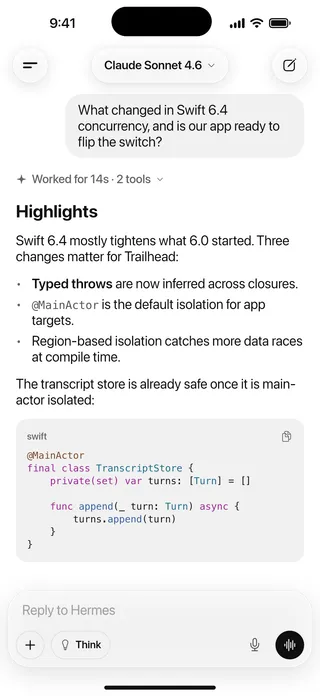
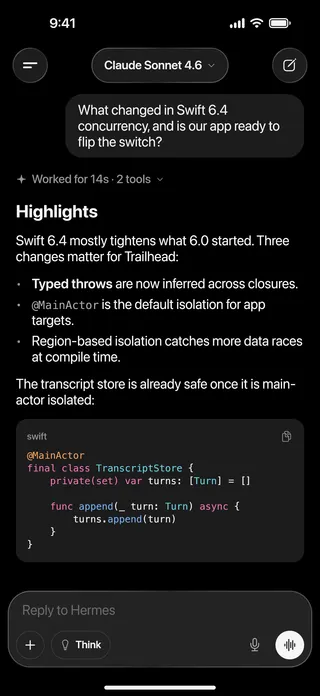
Find any chat by what was said in it. ⌘K on the Mac.
“reconnect”: 4 chats
From Photos, the camera or Files. Paste, or drag and drop.

Haptics on iPhone, keyboard shortcuts on Mac and iPad.
And the rest
The smaller things that make it feel made for your Mac, iPad and iPhone.
Private by design
Hermes can run commands on your computer, so the app treats that seriously.
The app connects only to the gateways you add. There is no Hermes cloud in between.
In the Keychain, never restored onto another device from a backup, never in a log.
Nothing to sign up for, and no tracking in the app or on this site.
Encrypted on your gateway for each device; the relay to Apple can’t read them.
You see exactly what will run, hidden characters included. Flagged commands are never allowed from a notification.
Links open only web pages, pictures from the internet wait for a tap, and previews read only their own folder.
Dictation and calls are transcribed on your iPhone, and voice messages are kept on your own gateway. If your gateway has Realtime, calls use it and their audio goes to OpenAI.
Open source
Hermes is MIT-licensed Swift and SwiftUI. Read every line, report what’s broken, or build what you want next. You don’t need a Hermes Agent to start: the repo’s mock gateway plays one.
A native iPhone, iPad and Mac app for the Hermes Agent you run.
git clone https://github.com/vburojevic/hermes
cd hermes && xcodegen generate && open Hermes.xcodeproj
# a mock gateway: no Hermes Agent needed
python3 -I Tools/mock-hermes/backend.py \
--port 19119 --gateway-port 18642Small, well-described issues to start with. Say you’re taking one, and it’s yours.
Browse issuesSuggest what Hermes should do next, or ask for help, in Discussions.
Open DiscussionsWhat’s being built now and what’s next, in the open.
See the roadmapWhat you did, what happened, your device and Hermes Agent version. Report security problems privately.
Open an issueGet started
On a Mac, a home server or any machine you control. Hermes Agent docs
Add these lines to ~/.hermes/.env on the machine running Hermes:
API_SERVER_ENABLED=true
API_SERVER_KEY=<a long random key>
API_SERVER_HOST=0.0.0.0
Then run hermes gateway restart. API_SERVER_HOST=0.0.0.0 lets other devices on your network connect;
keep it on a trusted network, or put HTTPS in front of it.
On the Mac running Hermes, open the app: it finds Hermes and connects in one click. On iPhone and iPad, scan the pairing
code from the Mac app (Pair a Device…), or enter your-mac.local:8642 and your key. Away from home, use its
Tailscale address.
For Bots, projects, the Board, the Inspector, memory and undo, also run hermes serve. The app then offers
its plugins, like notifications, and installs them for you.
hermes gateway); Bot Mode also needs hermes serve.Questions
Anything else? Get in touch from the Contact page.
An open-source AI agent by Nous Research. You run it on your own Mac, home server or VPS, with the models you choose.
Yes. Hermes connects to a Hermes Agent gateway you run. Setting one up takes a few minutes; see Get started.
On your gateway. The app talks only to the gateways you add, and keeps your keys in the Keychain.
Whatever your gateway is set up with. Pick the model and the reasoning effort per chat.
Now, as a public beta. Download the Mac beta above; it keeps itself up to date. On iPhone and iPad, join the public beta on TestFlight. The source is on GitHub.
Yes. Reach your computer over Tailscale, or put HTTPS in front of its gateway. The app reconnects by itself when the network changes.
Yes. The app is MIT-licensed on GitHub at vburojevic/hermes. Bug reports, ideas and pull requests are all welcome; good first issues are the place to start.

Public beta · Mac 1.0 · iPhone and iPad on TestFlight
Star or fork it on GitHub